What Changed Since Your Dependency Version? Find the Product Benefits Across the Gap
Read the release history between your installed and target dependency versions to find cumulative product benefits and verify where they apply.
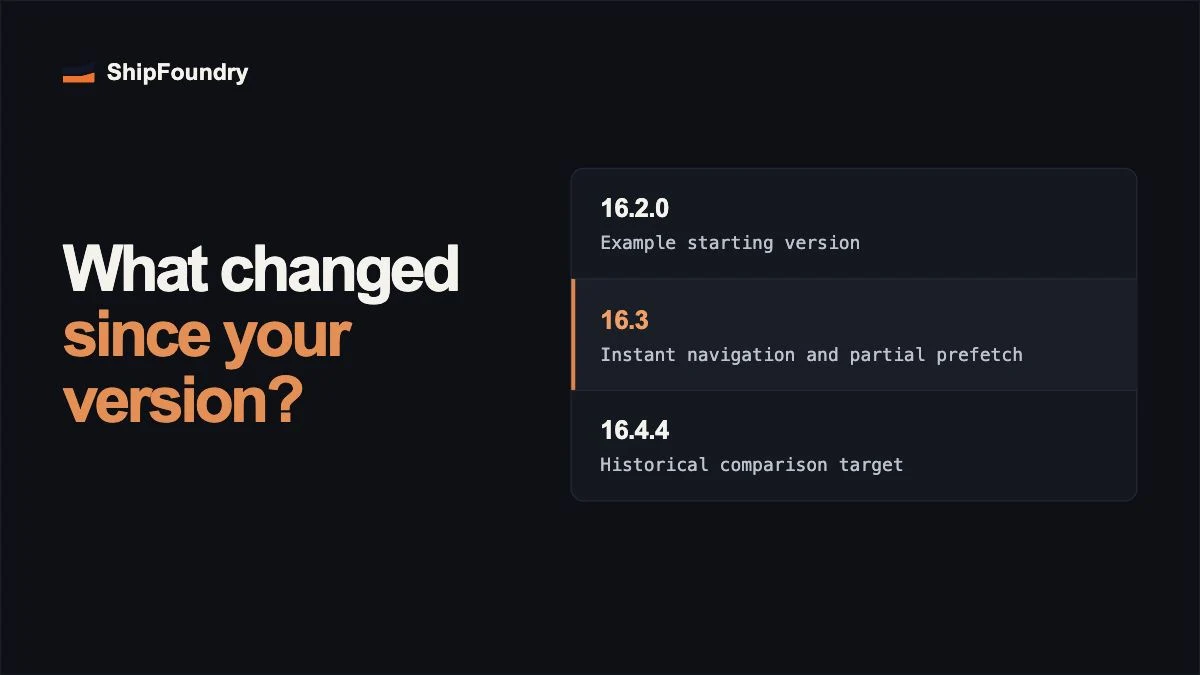
An upgrade proposal gives you a version to evaluate. The next question is what your product could do with the capabilities introduced since the version it actually runs.
To compare changelogs between package versions, use four questions: What changed after our baseline? Which changes could improve the product? What applies to our code and constraints? What is the smallest useful action? Read the releases after the verified baseline through a deliberately chosen target, not just the target's announcement. Use release evidence to identify candidates, then bring in your product goals and actual code to decide which ones deserve work.
We'll use a hypothetical Next.js directory app running 16.2.0 and assess selected changes through 16.4.4, a historical target recorded on November 3, 2026. The potential outcome is more responsive navigation without accidentally prefetching expensive or stale data. Nothing about this app, its deployed version, or its performance has been tested.
Research scope: This is a documentation-led worked example, checked November 9, 2026, against official release announcements, upgrade guidance, release records, and the referenced tools' documentation. It is not a hands-on compatibility test. 16.4.4 is not a current deployment recommendation: 16.4.5 subsequently delivered security fixes, and the current Next.js upgrade docs display 16.4.6. Verify the supported, published, patched target before any real upgrade.
What does your version evidence actually establish?
The string in package.json may be a range, not the version your app resolved or deployed. An upgrade assessment based on the wrong starting point can count features you already have as new, or overlook changes you still need to adopt.
| Evidence | What it tells you | What remains unknown |
|---|---|---|
Declared range in package.json |
Versions the project permits its package manager to resolve | The installed version, active override, or deployed build |
| Resolved lockfile entry | The recorded resolution for a particular workspace and install state | Whether the production artifact was built from that state |
| Deployed build evidence | The version associated with an identified production artifact or runtime | Whether other environments or old deployments differ |
| Unknown or conflicting baseline | The available evidence cannot establish a single trustworthy starting point | Which version should anchor a real comparison |
Check the package identity and workspace first. In a monorepo, a lockfile may contain more than one relevant resolution; overrides and deployment provenance matter. If the lockfile and release artifact disagree, either investigate the mismatch or make separate assessments. Do not silently pick whichever number is easier.
In our example, 16.2.0 is an invented starting version, treated as though a lockfile entry showed that resolution. We have no corresponding repository or deployment evidence. A real agent must replace this assumption with facts.
Bound the interval before collecting changes
Write down five things: package (next), ecosystem (npm), source and evidence for the baseline (16.2.0, hypothetical lockfile), target (16.4.4, dated teaching boundary), and release channel (stable). If the target is meant for production, separately establish that it is still supported and appropriately patched.
For a baseline of 16.2.0 and a target of 16.4.4, the interval is (16.2.0, 16.4.4]: exclude changes already present at 16.2.0, include releases after it through 16.4.4. A tool such as Release Notes Index's beta whats_changed MCP operation uses this same from-exclusive, to-inclusive convention when it has a mapped source. Other tools may present ranges differently, so confirm their semantics instead of assuming.
For an actual production decision, select a current patched target and rerun the interval and migration checks for that version. A number appearing in documentation or a tag does not establish availability, support or compatibility for your deployment.
Gather the changes that accumulated, not just the latest announcement
Begin with the official Next.js 16.2, 16.3, and 16.4 announcements. They show why the middle of the interval matters: a navigation capability arrived in 16.3, while 16.4 supplied more controls for using that model deliberately. The latest announcement by itself does not describe every step since 16.2.0.
Then inspect the individual tagged releases and patch notes across the selected interval, along with the official upgrade guide. Classify the findings separately: new capabilities; behavior and default changes; features becoming stable; removed or changed APIs; prerequisites; and fixes. A source diff can answer a narrower implementation question that release prose does not.
This article uses selected milestones, not an exhaustive interval inventory. The two announcements and a migration guide do not prove coverage of every 16.2.x, 16.3.x, and 16.4.x patch. Missing evidence stays a gap, not a claim that nothing changed.
Also subtract what the baseline already provided. The 16.2 announcement listed an experimental cachedNavigations capability. Even if a similar idea later became easier to adopt, it would be wrong to treat its initial existence as an entirely new 16.3 or 16.4 benefit without checking the earlier implementation and the app's usage.
Worked example: can an upgrade improve directory navigation?
Imagine a directory where people frequently open results, change filters, and return to the list. The product goal is responsive, dependable navigation while preserving the freshness of user-specific results. We do not know whether the app uses App Router, Cache Components, custom loading shells, explicit prefetching, or route-level caching. Those unknowns control the decision.
Selected capabilities across the version interval
| Release and source | Capability or change | Possible product benefit | Required check |
|---|---|---|---|
| 16.3 announcement | Opt-in Instant Navigations and Partial Prefetching | Show a useful route shell sooner without eagerly loading every result | App Router usage, flags, loading structure, request volume, freshness |
| 16.3 announcement | Navigation Inspector and a Playwright navigation test helper | Identify slow transitions and protect a useful loading experience from regression | Whether navigation is actually slow and tests can exercise the route |
| 16.4 announcement | Cache Components controls to defer selected content from a prefetch | Prefetch lightweight directory UI while leaving expensive detail data until navigation | Cache Components adoption, data boundaries, server load |
| 16.4 ensureStatic reference | Choose which navigation stage must have static server output | Protect a static shell or prefetch; reject full-static navigation when request-specific server data is required | Exact mode, Cache Components, Partial Prefetching and request-specific boundaries |
The 16.3 possibility is conditional. Partial Prefetching was part of an opt-in suite, not proof that updating next turns it on for an existing application. The useful experiment would compare a representative navigation before and after a deliberate configuration and route-level change, measuring the loading experience, network requests, and data freshness. A vendor performance figure for another workload is not a measurement of this product.
The 16.4 possibility is also conditional. The release introduced controls such as navigation() and prefetch() to decide what gets loaded during a prefetch versus a full navigation, in the Cache Components model. That could matter for a directory with expensive result detail. It is not automatically desirable: prefetching additional data can increase backend work, and deferring too much can worsen the eventual click experience. Next.js explains both sides in its 16.4 examples.
Check the exact ensureStatic mode. The API reference distinguishes 'shell', 'prefetch' and 'navigation'. The last requires the complete server-rendered route to be static, so reject that mode for a route that must render request-specific server data. The earlier modes can preserve static output while personalized content renders later behind Suspense; personalization alone does not rule them out. Confirm Cache Components and Partial Prefetching prerequisites before choosing a mode. If there is no static boundary worth protecting, leave this control alone.
The defensible conclusion is not “upgrade for faster navigation.” It is: there is an opt-in navigation experiment worth investigating if the route is slow, the cache model fits, and the measurements support it.
Coverage and adoption gaps
Every promising change should carry its unanswered question alongside its possible benefit. Use this checklist before calling an interval assessment complete.
| Gap | Why it matters | Evidence needed | Decision until resolved |
|---|---|---|---|
| Missing intermediate or patch notes | A fix, prerequisite, or behavior change may be absent from the summary | Tagged releases, changelogs, and linked migration records | Call the interval assessment partial |
| Uncertain installed or deployed baseline | The app may already contain some proposed gains | Lockfile, overrides, build artifact, runtime evidence | Verify the baseline before prescribing changes |
| Optional capability not enabled | A version bump alone may not adopt the benefit | Configuration, route usage, and feature-specific docs | Treat as a separate adoption candidate |
| Target support or migration uncertainty | A historical target may omit security fixes or need additional work | Current release, advisories, compatibility guidance, build and tests | Select a supported patched target before deployment |
These are reasoning checks, not a claim that ShipFoundry has detected these exact gaps in any particular customer project.
Price the migration separately from the product benefit
A version change has two budgets: the work needed to remain compatible and the optional work to realize a new product capability. Do not confuse them. The first may be necessary even when no new feature is worth building; the second should compete with other product priorities.
The official Next.js version 16 upgrade guide documents migration requirements and an agent-assisted upgrade route. It is a strong starting point for framework-specific changes. But if your verified baseline is already 16.2, do not blindly charge the assessment for every earlier 15-to-16 breaking change. Identify only requirements that actually apply to the selected interval, dependency graph, hosting environment, and current code.
Assess the expected tests as carefully as the feature. For this directory, that means representative client navigations, first-load behavior, request count, freshness after edits, authentication boundaries, build checks, and any relevant production-like rendering mode. A successful build alone would not establish a better user experience.
Copy this version-gap investigation brief to your agent
This is a manual template, not a claim about the exact format of a ShipFoundry export. Replace the illustrative facts before giving it authority to change code.
Goal: Make frequent directory-to-detail navigation feel responsive without
showing stale or cross-user data or increasing avoidable backend work.

Product: Hypothetical Next.js directory with filters and detail pages.
Package / ecosystem: next / npm; assess stable releases only.
Observed baseline: 16.2.0, ASSUMED lockfile entry for this example.
Deployed baseline: UNKNOWN. Verify from build and deployment evidence.
Target boundary: 16.4.4, HISTORICAL STUDY ONLY (Nov 3, 2026).
Real deployment target: UNSELECTED. Verify current patched stable release,
support policy, security advisories, runtime and dependency compatibility.

Starting sources:
- https://nextjs.org/blog/next-16-2
- https://nextjs.org/blog/next-16-3
- https://nextjs.org/blog/next-16-4
- https://nextjs.org/docs/app/api-reference/file-conventions/route-segment-config/ensureStatic
- https://nextjs.org/docs/app/guides/upgrading/version-16
- https://github.com/vercel/next.js/releases

Candidate benefits:
- 16.3 opt-in navigation shells, partial prefetching and inspection/tests.
- 16.4 controls for what is loaded during prefetch vs navigation.
- Check each ensureStatic mode separately. Reject full-static navigation
  if the route needs request-specific server rendering; a static shell or
  prefetch may still fit when personalized content renders in a later stage.

Known gaps:
- No complete release-by-release / patch review across this interval.
- No inspected route code, config, cache model, deployed artifact or metrics.
- Historical target excludes later fixes, including 16.4.5 advisories.

Constraints:
- Preserve authentication boundaries, freshness and existing product UX.
- Avoid speculative refactors. Do not install, edit, deploy or change
  infrastructure without owner approval.

Your investigation:
1. Verify package identity, resolved version, overrides and deployed version.
2. Reconcile the complete bounded release interval with primary sources;
   flag missing notes, changed defaults, prerequisites and advisories.
3. Inspect navigation, prefetch, caching and route code. Classify each
   candidate as applicable, already adopted, irrelevant or unresolved.
4. Separate required compatibility work from optional feature adoption.
5. Recommend the smallest useful experiment, intermediate step, or no change.
6. State expected tradeoffs, test plan, rollout and rollback conditions.

Acceptance evidence for any proposed improvement:
- Compare baseline and candidate navigation behavior on representative routes.
- Record perceived loading sequence and measured navigation timings.
- Measure prefetch/request volume and check data freshness and isolation.
- Run relevant build, integration and browser navigation checks.
- Report actual measurements, failures and untested conditions, not estimates.

Return:
- Observed facts with file/build/source references vs inferences.
- Version-by-version coverage and gaps, with source URLs.
- Applicable, already-used and rejected capabilities with reasons.
- Migration requirements, smallest implementation, tests and risks.
- No-change outcome if benefit is already present, not useful, or too uncertain.
- Explicit approval request before any code modification or deployment.
Choose the smallest defensible outcome
- No optional feature work: the route already behaves well, a benefit is already present, or a candidate does not fit the product. Document the reason.
- Maintenance or patched-version upgrade only: keep the dependency supported or address a required fix, without inventing a customer-facing feature. Handle urgent security remediation on its own timeline.
- Focused adoption: update to an appropriate target and test one navigation improvement behind a controlled rollout, if the evidence warrants it.
- Broader migration: adopt the new caching model across multiple routes only when the added value and migration scope justify it.
The question is not whether the interval contains many changes. It is which of those changes deserves engineering time here.
Which tools are enough for this job?
For a single well-documented framework upgrade, the official Next.js guide and your coding agent may be sufficient. Next.js already offers agent-assisted upgrade guidance and version-matched documentation. ShipFoundry is not needed to issue a migration command.
For cumulative release evidence, Release Notes Index documents a beta whats_changed tool that accepts a from/to interval and can be used by agents. This public read operation requires no sign-in and is free, but some packages are not mapped. The hosted MCP server also has authenticated account actions, so assess permissions per tool. Semverse offers npm version comparisons, source-linked release histories and missing-history indicators. Either can help collect evidence when its coverage fits your package.
For package-level differences or source-level questions, Can I Update? compares npm package metadata, selected release evidence and known advisories while explicitly warning that it does not inspect an app. The official npm diff command compares published package files. Such tools can answer technical questions that a release summary cannot, but none substitutes for checking behavior in your product.
For routine update proposals, keep Dependabot or Renovate if they already work for you. Their maintenance workflow is compatible with a separate assessment of optional product benefits.
ShipFoundry fits a different recurring question: which capabilities appearing across the tools you use could advance this product? Based on the current product overview and reviewed implementation, it matches observed changes against confirmed product goals and context, can group observed intermediate releases into an upgrade path, and gives your existing agent an investigation handoff. That path is not exhaustive and is not a compatibility verdict. Your agent still verifies the source, local code, deployment, tests and actual outcome. For a one-off diff or obvious migration, the simpler tools may be the better choice.
FAQs
Is package.json enough to establish my starting version?
No. A declared range is not a deployed build. Check the relevant lockfile resolution, overrides, workspace, and build or runtime provenance. If these disagree, reconcile them before claiming a precise version gap.
Why look at intermediate releases if I am moving to a later version?
Because a useful capability or breaking prerequisite may have appeared before the latest announcement. In this example, 16.3 introduced opt-in navigation capabilities that still matter when assessing a later 16.4 target. Review the releases in between, including patches, rather than reading only the destination announcement.
Does upgrading automatically enable every capability in the release notes?
No. Some changes affect existing apps without additional code; others require flags, new APIs, migration work, or an eligible architecture. For our hypothetical directory, Partial Prefetching is an adoption decision, not an automatic outcome of changing the version number.
Can a cumulative summary prove that an upgrade is compatible or secure?
No. A summary may omit releases or obscure workload-specific risks. Use the official migration and security guidance, inspect code, and test the relevant behaviors. A source-diff tool helps with file-level questions but cannot prove end-to-end safety either.
What if release history or the baseline is incomplete?
State the exact unknown. Collect primary releases or build evidence if available, choose a narrower interval, or defer the optional feature decision. Missing notes do not mean no changes occurred, and an unresolved baseline should not be presented as a confirmed installed version.
What does ShipFoundry do that my agent or dependency bot does not?
A dependency bot can propose version updates. Your agent can read docs, inspect code and implement changes. ShipFoundry supplies product-specific leads from observed external changes, including an observed-release upgrade path and a handoff for that same agent to investigate. It does not continually inspect your repository, run the agent for you, or guarantee the suggestion works. See the agent workflow documentation.
Find what your next upgrade could make possible
If you regularly need to connect changes in your stack to product work, find what your next upgrade could make possible. Give ShipFoundry your product goal, tools, constraints and best baseline evidence. Your existing agent can then verify whether a selected capability fits the actual code and is worth adopting. Keep your update bots and migration tools for the work they already handle.