How to Prioritize Improvements Across SaaS Products You Build
Use product goals and stack changes to choose at most one SaaS portfolio investigation, with evidence and a clear reason to revisit deferred work.
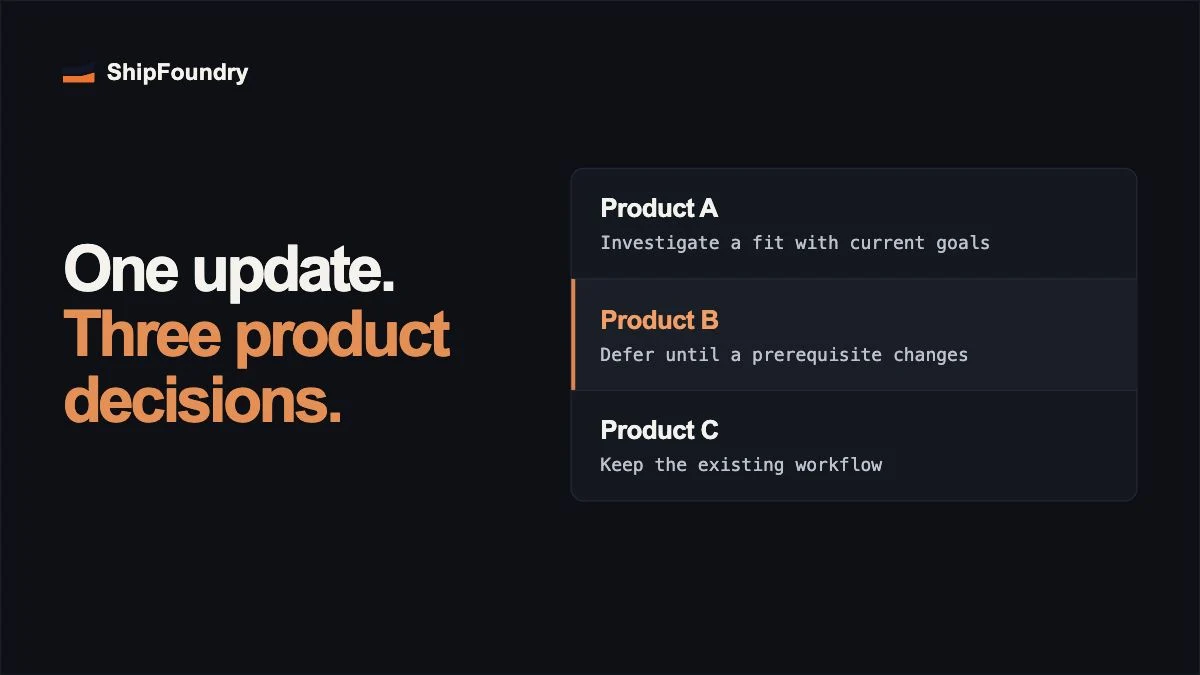
If you build or own several SaaS products, a new capability in your shared stack should not become the same task in every repository. One application may gain a valuable user experience, another may be missing a prerequisite, and a third may need nothing at all.
The practical method: keep a short, current context for each product; research shared vendors once; and check applicability and value separately. If an opportunity deserves attention, give your coding agent one bounded investigation for that product. If none does, keep the current plan.
Research scope: this is a documentation-based guide checked on November 9, 2026. The Vercel change below is real; the three product contexts and their decisions are hypothetical. No customer implementation, repository test, or ShipFoundry-generated result is claimed.
A shared stack is not a shared priority list
Reusing a hosting platform, email service, database and coding agent is useful. You can read one announcement, keep one explanation of what changed, and share a test pattern. But you cannot assume that the same change has the same value or adoption status in every product.
The difference is often in details that a generic stack list leaves out:
- The next user outcome. A booking service might need a reliable beta rollout. An analytics app might need to deliver reports on time. A quiet content site might only need to stay operational.
- What is deployed. The same provider can mean different project ownership, SDK versions, flags, settings, or API behavior. For example, Stripe's versioning documentation distinguishes account defaults, request overrides, webhook endpoint versions and SDK-specific behavior.
- What must not change. Data residency, access boundaries, stability requirements and budget limits may apply to one product but not its siblings.
- The available attention. An improvement worth building in a flagship product may not justify reopening a dormant one.
A copied description such as "Next.js, Stripe, Vercel, growth stage" is not enough to choose work. It says little about the current limitation, what has already been adopted, or who can approve a change.
Give each product one maintainable context
Keep this as a small Markdown file, issue description, or project profile. Reuse the headings across products, but fill in the facts independently. An honest unknown is more useful than a guessed version or business priority.
Product:
Who uses it and what they need:
Current lifecycle: active / maintenance / paused
Next valuable user outcome:
Current limitation blocking that outcome:
Relevant stack, versions, and evidence:
  - Tool or platform:
  - Observed version or setting:
  - Evidence location and date, or unknown:
Existing capabilities already adopted:
Constraints (security, budget, compatibility, data, time):
Explicit non-goals for now:
Agent may investigate (read-only scope and questions):
Agent must not change or deploy without approval:
Owner of the next decision:
Last checked:
Business goals should come from the owner, not be inferred from a repository. The agent can gather dependency versions and configuration evidence; the owner confirms whether an improvement is worth pursuing. Recheck the context after major releases, architecture changes, or a shift in product priorities.
One real Vercel release, three hypothetical products
On November 2, 2026, Vercel announced Project Connections for Vercel Flags. A project can read and evaluate flags from another project in the same Vercel team, using its deployment identity rather than a copied server SDK key. Connections are read-only, but the access covers all flags and environments in the source project, so the permission boundary matters. Vercel's documentation explains that consumer applications need @flags-sdk/vercel 1.6.0 or later, or @vercel/flags-core 1.11.0 or later when using that library directly. Managing connections through the CLI requires Vercel CLI 63.0.0 or later.
Now hold that announcement constant and consider three illustrative, unnamed SaaS products run by one small team.
One change, three product decisions
| Product and current goal | Relevant context | Likely opportunity | Next decision |
|---|---|---|---|
| Booking SaaS: coordinate beta access | Flag source and consumer are in one Vercel team | Evaluate shared beta flags without copied SDK keys | Investigate versions, permissions, access scope and test path |
| Analytics SaaS: reliable nightly reports | Relevant flags sit in a different Vercel team | No direct same-team connection in this setup | Defer; verify ownership before considering a migration |
| Content product: low-touch maintenance | No cross-project flag workflow | No useful improvement from this release | No work; continue routine maintenance |
Booking SaaS: investigate. Imagine the booking application and its related admin experience need to coordinate beta access. A source flag project and the consuming project already belong to the same Vercel team. The improvement is not merely fewer secrets: a shared beta gate could support a more consistent rollout across the related applications. An agent should first verify project ownership, actual flag usage, SDK compatibility, permissions, which flag data would be exposed, and a safe test or fallback path. No implementation benefit has been measured.
Analytics SaaS: defer. Its pressing goal is dependable nightly reports. Suppose its flags live under another Vercel team. That fails the documented same-team condition; moving flag ownership would be a separate architectural choice. Even if a migration were possible, the announcement does not establish a better reporting experience. Record the mismatch rather than manufacturing an upgrade task.
Content product: no change. It has no cross-project flag workflow and almost no active feature development. Nothing in this release advances its maintenance goal. Do not invent a beta program just because the capability exists.
These are judgments based on assumed project descriptions and a documented vendor feature, not three observed ShipFoundry recommendations or completed agent runs.
Allocate investigation time, not just ideas
Once you have made those decisions, record the missing evidence, who owns the next step and what would justify reopening a deferred item. That prevents the same announcement from becoming a fresh discussion every week.
Your portfolio opportunity register
| Product and goal | Evidence still needed | Decision and owner | Revisit condition |
|---|---|---|---|
| Booking: consistent beta access | Installed SDK, actual flag use and acceptable source-project access | Product owner assigns one bounded agent investigation | Evidence shows a useful rollout benefit and acceptable access scope |
| Analytics: dependable reports | A concrete cross-project flag need and compatible project ownership | Product owner defers optional flag work | Reporting goals require shared flags and the ownership constraint is resolved |
| Content: stable maintenance | No additional flag evidence needed for the current goal | Product owner records no change | The product gains a real cross-project rollout requirement |
For each proposed change, ask five questions in order. Value: which current user outcome improves? Evidence: what do you know about the deployed configuration and what remains unknown? Urgency: why now, rather than after the next customer problem? Effort: what would the investigation and likely change displace? Reversibility: can the team test safely and undo the change?
An owner can select the booking investigation while leaving the analytics question deferred and the content product unchanged. This is not a claim that those choices have statistically proven scores. It is a disciplined way to spend limited attention.
Keep production incidents, security fixes, contractual duties and customer support commitments separate from this optional advancement queue. They do not become less important because a new feature looks attractive.
Owner review prompt
After updating the context sheets and opportunity register, copy this into the agent that can read those materials:
Review these product context sheets and the portfolio opportunity register.
For each proposed opportunity, identify the concrete user outcome,
what is known about applicability, and what must still be checked.

Recommend at most one next investigation across the portfolio.
If none has enough value or evidence to justify the attention, recommend
no new investigation and explain what would change that decision.
For a selected candidate, explain the expected user benefit, what work
it would displace, what read-only evidence to collect, and when to stop.

Mark other entries investigate later, defer pending evidence, or no change.
Record an owner and a concrete revisit condition for each deferred item.
Do not modify code, create tasks, or deploy. The owner decides whether
any investigation becomes implementation work.
That prompt is an owner-maintained decision process, not a native ShipFoundry portfolio-ranking feature.
Reuse findings without assuming repositories are identical
Once the booking-product agent investigates the release, its summary of source requirements, SDK constraints, security implications and test steps may help the next project. Reusing that research is sensible. Copying its verdict is not.
A second agent still needs to check its own project's dependencies, deployment environment, access permissions, code paths, rollback approach and current goals. With shared providers, even a version number can be misleading if another project uses different API defaults or SDK behavior.
Preserve a compact result: source → conditions checked → findings → product-specific decision → owner approval if needed. If an agent finds that the capability is already adopted, update the product context so it is not repeatedly proposed as new work.
Choose the smallest setup that earns its place
A document, vendor feeds and occasional agent research are enough when you have one or two stable products, a small stack, and clear customer-requested priorities. A shared issue tracker may already be the right place to compare opportunities. No new product is necessary.
A scheduled agent plus your own rules can work when you are comfortable maintaining source monitoring, separate product context and selection logic. Its advantage is control. The work you still own is distinguishing a vendor update from a worthwhile improvement for each product.
A portfolio operations workspace is a better fit if the immediate pain is finding deployment accounts, checking metrics or understanding which product needs operational attention. For that different job, Sidebox's indie-developer guide gives a practical resource-map approach.
ShipFoundry becomes more relevant when meaningful changes in your tools regularly create product opportunities and keeping each product's goals, constraints and prior answers separate has become recurring work. Its product overview describes matching external changes to confirmed project context, then offering source-linked leads for your own coding agent. Your agent still checks the codebase, and you control its tools, schedule, changes and deployment. ShipFoundry does not rank your entire business portfolio or run your agents for you.
There is a real capacity consideration. On the public pricing page checked November 9, 2026, Dev is $9/month for one project and 20 tracked tools; Portfolio is $19/month for up to five projects and 60 shared tracked-tool slots. Watching Vercel in two projects uses two slots, not one. These are allowances, not a reason to add five projects before you have a useful goal for one.
Update or retire context as the portfolio changes
A product that moves from active growth to maintenance should stop receiving growth-oriented recommendations based on last quarter's goals. Record the new lifecycle, preserve must-do maintenance checks, and mark capabilities already adopted. When you reopen a paused product, verify its current deployment and assumptions before trusting an old opportunity.
A useful review leaves you with a deliberate next step for a particular product, or a reason to continue the work already planned. The other products keep their own priorities and maintenance obligations.
Frequently asked questions
Does the same stack mean the same recommendations?
No. Shared vendors make source research reusable, but product goals, adoption status, versions, permissions and constraints determine what applies. One release can justify an investigation in one app and no action in another.
Should I add every product immediately?
Usually not. Start with the product that has a clear, valuable improvement goal and enough attention to act on a finding. Add others when their context is accurate and ongoing discovery would be useful.
Can I reuse an agent's research across repositories?
Yes. Reuse the source interpretation, prerequisite checklist and test pattern. Require each repository's agent to verify its own configuration and behavior. A successful test in one codebase is not proof for another.
Does ShipFoundry rank my portfolio or run all my agents?
No. It matches possible improvements to individual product context and provides handoffs. Portfolio-wide allocation is an owner decision, recorded in a document or issue tracker if useful. You configure and authorize any agent investigation or implementation. See the agent workflow documentation.
How do shared tracked-tool allowances work?
The currently listed Portfolio plan supports up to five projects with 60 tracked-tool slots across them. Each tool selected for each project consumes a slot, even when the same vendor appears in multiple projects. The Dev plan supports one project with 20 tracked tools. Check current pricing before committing.
What if a product's priorities change?
Update its goal, constraints, existing capabilities and lifecycle before reviewing more opportunities. Retire stale assumptions instead of continuing to feed an agent work that no longer helps users.
Start with the product you most want to improve
Choose one current product outcome, write down what limits it today, and check the stack evidence you actually have. Then start with the product you most want to improve and use that context to explore source-linked improvement opportunities with your existing agent. The rest of the portfolio can follow when it earns the attention.